mirror of
https://github.com/deadnews/mc-onedark.git
synced 2026-02-26 01:08:31 +03:00
 c417d99685
updates:
- [github.com/pre-commit/pre-commit-hooks: v4.3.0 → v4.4.0](https://github.com/pre-commit/pre-commit-hooks/compare/v4.3.0...v4.4.0)

Co-authored-by: pre-commit-ci[bot] <66853113+pre-commit-ci[bot]@users.noreply.github.com>
One Dark theme for Midnight Commander
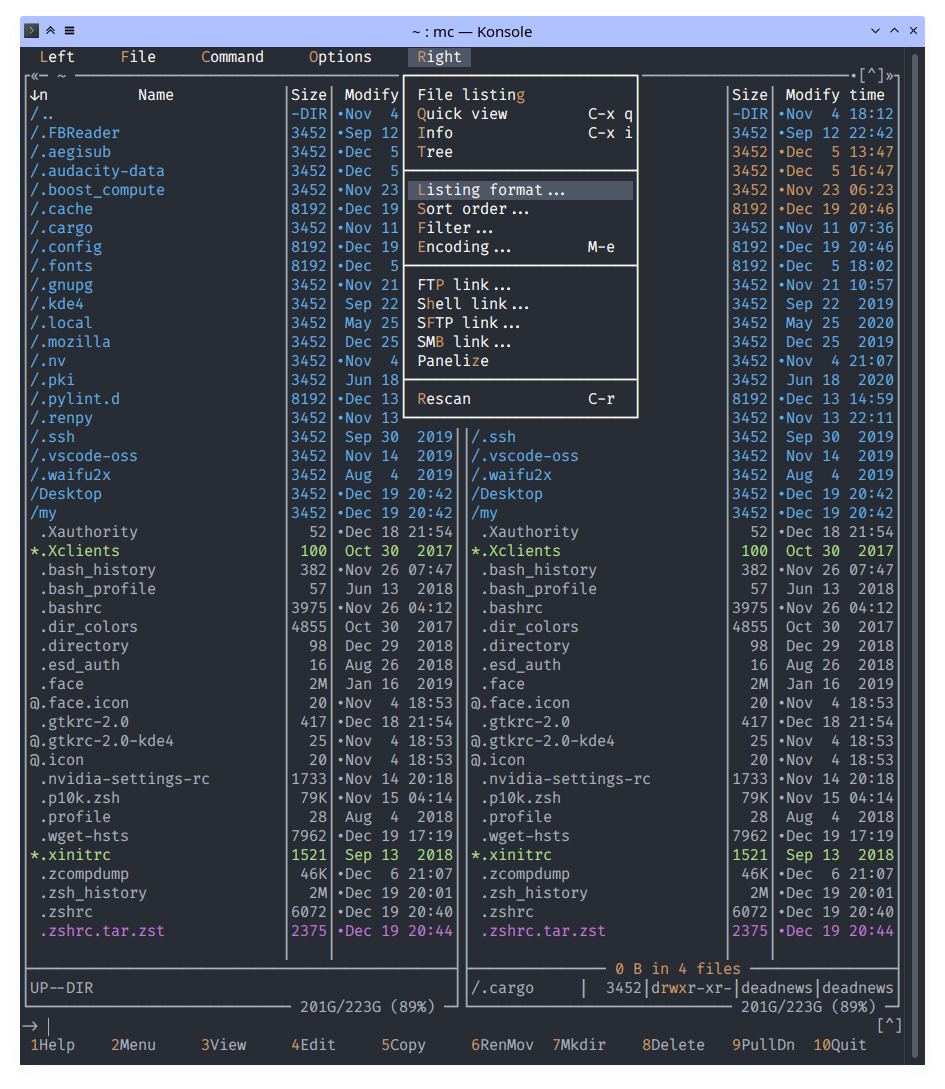
Theme variants
The mc OneDark theme comes in two flavors, an 8/16 color option (onedark.ini) and a 16M color option (onedark16M.ini). The 8/16 color version is entirely dependent on having installed the relevant OneDark theme for your terminal too as it uses the color palette fixed by your terminal.
See Konsole color scheme for example.
The 16M color version can be used independently of any terminal color scheme, but requires true color support in the terminal.
Installation
- Copy files from
./skinsto~/.local/share/mc/skins - Copy files from
./configto~/.config/mc/(optional)
Activating ways
- Choose the skin through the mc UI with:
# F9 > Options > Appearance
- Edit
~/.config/mc/iniand addskin=onedark:
sed -i 's|\(^skin=\).*$|\1onedark|' ~/.config/mc/ini
- Run mc with specific skin:
mc -S onedark
- Add
export MC_SKIN=onedarkto the initialization file of your shell (e.g.,~/.bashrcor~/.zshrc):
echo "export MC_SKIN=onedark" >> ~/.zshrc